一.下载xdebug
下载方法
1:地址:https://xdebug.org/download.php 挑选跟机器上安装的php匹配的版本
2.将phpinfo网页的源代码拷贝到http://www.xdebug.org/find-binary.php,然后按照指导安装即可。
二.安装XDebug按照上图下载“php_xdebug-.dll”,将其复制到\php\ext\目录。
三.配置XDebug打开\php\php.ini,在末尾增加如下代码:(zend_extension路径一定不能错!)
[Xdebug]
zend_extension = d:\php\ext\php_xdebug-2.3.2-5.4-vc9.dll
xdebug.remote_enable =1
xdebug.remote_handler = "dbgp"
xdebug.remote_host = "localhost"
xdebug.remote_mode = "req"
xdebug.remote_port = 9000
重启Apache。
四。验证安装是否成功
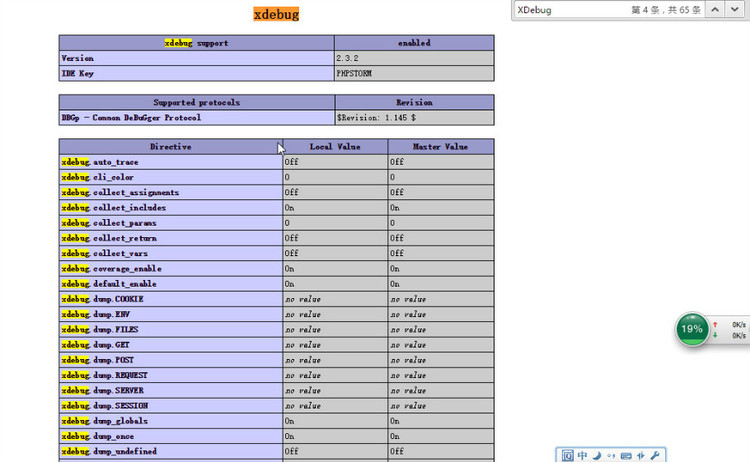
检测方法1:在phpinfo网页中,能够检索到XDebug字样,就安装成功了,如下图所示:
检测方法2:
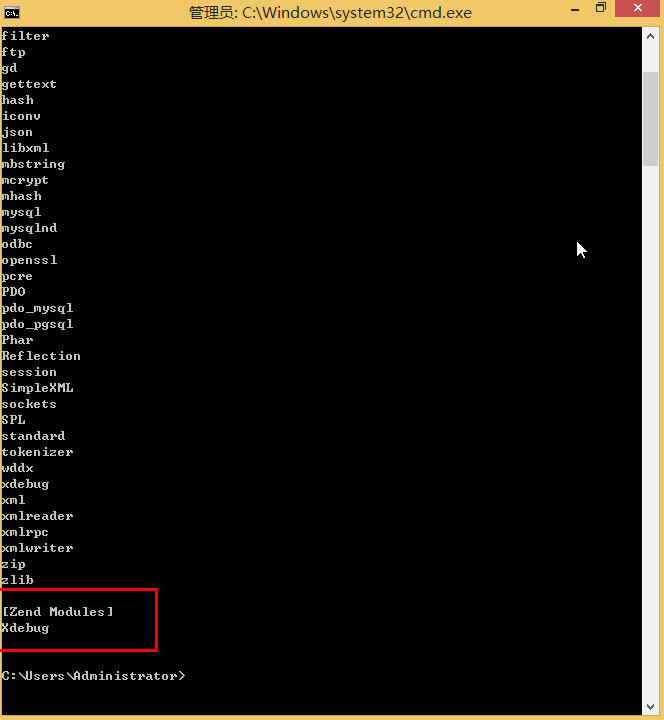
在cmd下输入php -m,能看到XDebug说明配置成功。如下图所示: