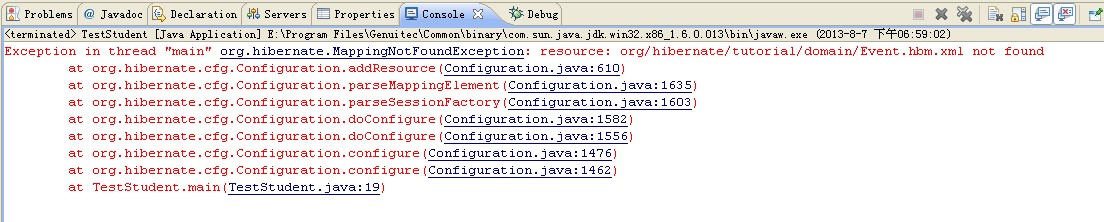
这个错误是因为:没有配置hibernate.cfg.xml中的最后一项 <mapping resource="org/hibernate/first/model/Student.hbm.xml"/>

这个错误是因为:
在配置hibernate缓存的时候出的错,我就把我这个缓存代码删除掉了。代码如下
<prop key="hibernate.cache.provider_class">org.hibernate.cache.internal.NoCacheProvider</prop>

这个错误超级低级:数据库方言里面应该是:MySQLDialect 千万不要写成其他的,比如,MYSQL什么的。
打开hibernate.cfg.xml文件是遇到如下错误的时候:

解决方法就是:
项目名上右键--〉myeclipse-->add hibernate capabilites -->next-->hibernate config file --> existing --> end
其中,在hibernate config file的地方,应该选择你项目里面的 src/hibernate.cfg.xml文件,然后next 然后,不要new 一个什么SessionFactory类就直接finish就ok了。

出现这个问题的原因,可能是因为你的数据库里面没有对应的表。
转载于:https://blog.51cto.com/ywj852752270/1266267