一、环境要求
1、JDK:1.8+
2、maven:3.0.5+
二、创建工程
使用Spring Initializr新建项目,注意Initializr Service URL必须为https://start.spring.io
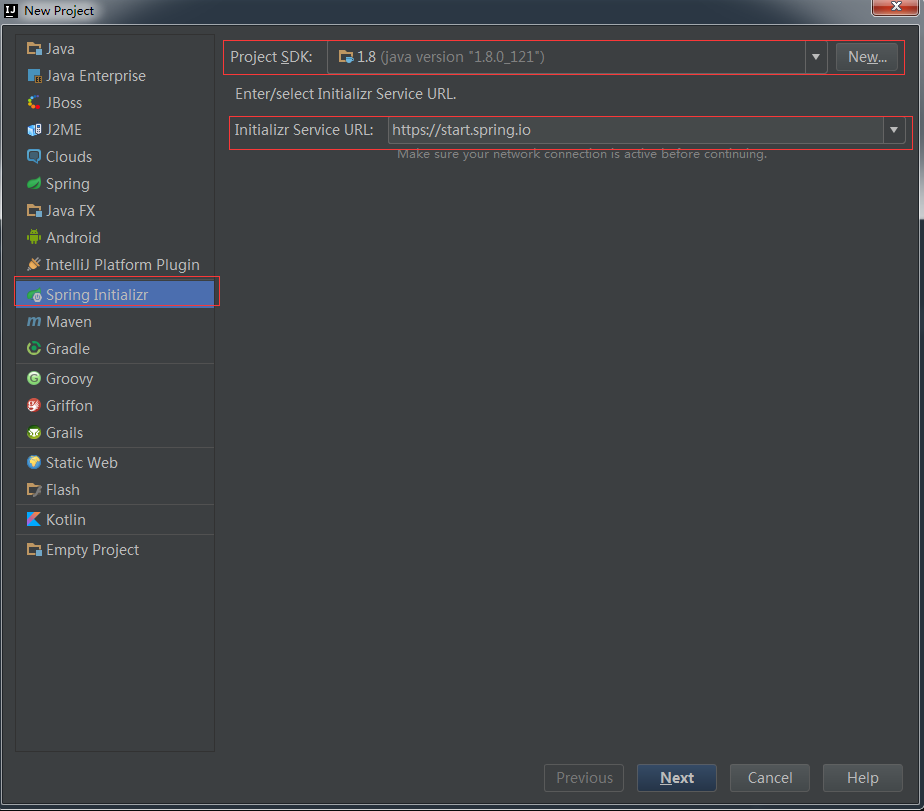
2.1、选择类型
上面Next后,注意Type为Maven Project,Java Version为1.8,Packaging为Jar.
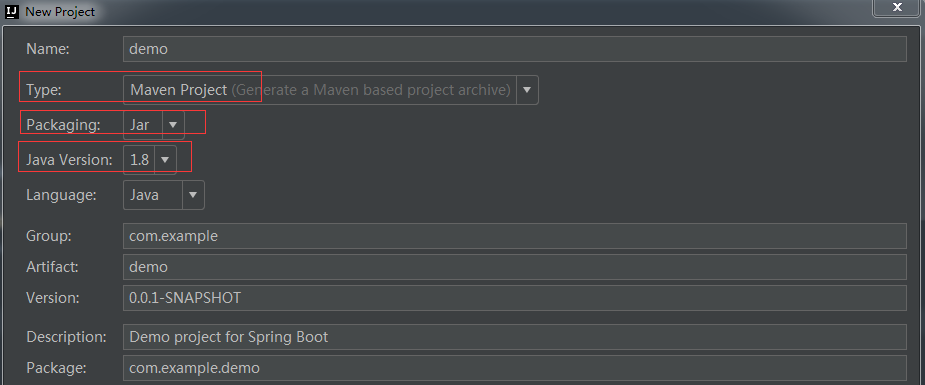
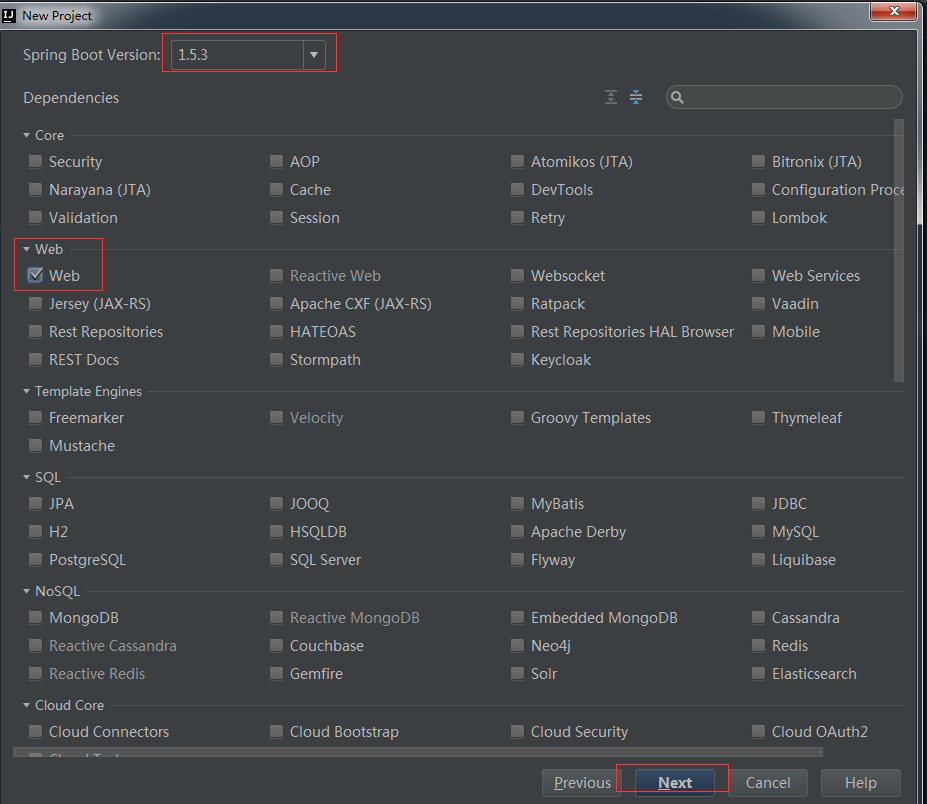
2.2、选择Spring Boot版本和组件
选择Spring Boot版本和spring boot组件
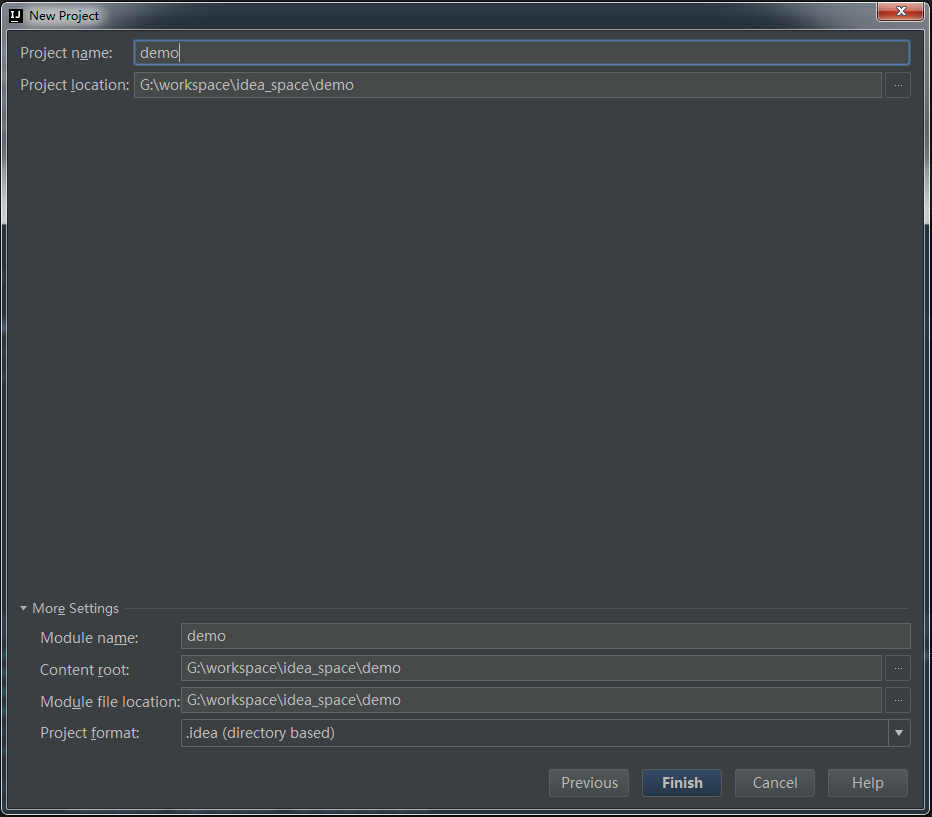
2.3、输入项目名称
这里使用demo作为名字
三、java代码
3.1、新建启动类Application.java
|
1
2
3
4
5
6
7
8
9
10
11
12
13
14
|
package com.example;
import org.springframework.boot.SpringApplication;
import org.springframework.boot.autoconfigure.SpringBootApplication;
/** * Created by ly on 2017/6/8.
*/
@SpringBootApplicationpublic class Application {
public static void main(String[] args) {
SpringApplication.run(Application.class, args);
}
} |
3.2、新建IndexController.java
|
1
2
3
4
5
6
7
8
9
10
11
12
13
14
15
16
17
18
19
20
21
22
23
24
25
26
27
28
29
30
31
|
package com.example.controller;
import org.springframework.web.bind.annotation.GetMapping;
import org.springframework.web.bind.annotation.RestController;
/** * Created by ly on 2017/6/8.
*/
@RestControllerpublic class IndexController {
@RequestMapping
public String index() {
return "hello world";
}
@RequestMapping(value = "get")
public Map<String, String> get(@RequestParam String name) {
Map<String, String> map = new HashMap<String, String>();
map.put(name, "hello world");
return map;
}
@RequestMapping(value = "find/{id}/{name}")
public User find(@PathVariable Long id, @PathVariable String name) {
User user = new User();
user.setId(id);
user.setName(name);
user.setDate(new Date());
return user;
}
} |
注意:要将启动类放在最外层,也就是要包含所有子包。
比如你的groupId是com.google,子包就是所谓的com.google.xxx,所以要将Application类要放在com.google包下。
springboot会自动加载启动类所在包下及其子包下的所有组件.
四、启动并测试
在启动类中,右击-->执行 即可。
测试:在浏览器中输入http://localhost:8080/index
效果:
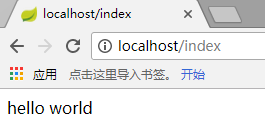
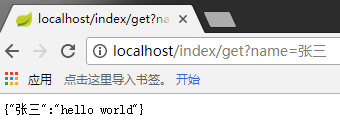
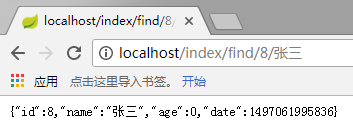
注意:默认是8080端口,这里我配置成80端口了,后面有讲到。
JUnit测试:
|
1
2
3
4
5
6
7
8
9
10
11
12
13
14
15
16
17
18
19
20
21
22
23
24
25
26
27
28
29
30
31
32
|
package com.roncoo.example;
import com.roncoo.example.controller.IndexController;
import org.junit.Before;
import org.junit.Test;
import org.junit.runner.RunWith;
import org.springframework.boot.test.context.SpringBootTest;
import org.springframework.test.context.junit4.SpringRunner;
import org.springframework.test.web.servlet.MockMvc;
import org.springframework.test.web.servlet.RequestBuilder;
import org.springframework.test.web.servlet.setup.MockMvcBuilders;
import static org.springframework.test.web.servlet.request.MockMvcRequestBuilders.get;
import static org.springframework.test.web.servlet.result.MockMvcResultMatchers.content;
import static org.springframework.test.web.servlet.result.MockMvcResultMatchers.status;
@RunWith(SpringRunner.class)
@SpringBootTestpublic class SpringBootDemo21ApplicationTests {
private MockMvc mvc;
@Before
public void befor() {
this.mvc = MockMvcBuilders.standaloneSetup(new IndexController()).build();
}
@Test
public void contextLoads() throws Exception {
RequestBuilder req = get("/index");
mvc.perform(req).andExpect(status().isOk()).andExpect(content().string("hello world"));
}
} |
五、打包发布
5.1、添加打包插件:spring-boot-maven-plugin,并添加<packaging>jar</packaging>
|
1
2
3
4
5
6
7
8
9
10
11
12
13
14
15
16
17
18
19
20
21
22
23
24
25
26
27
28
29
30
31
32
33
34
35
36
37
38
39
40
41
42
43
44
45
46
47
48
49
50
51
52
53
54
55
|
<?xml version="1.0" encoding="UTF-8"?>
<project xmlns="http://maven.apache.org/POM/4.0.0" xmlns:xsi="http://www.w3.org/2001/XMLSchema-instance"
xsi:schemaLocation="http://maven.apache.org/POM/4.0.0 http://maven.apache.org/xsd/maven-4.0.0.xsd">
<modelVersion>4.0.0</modelVersion>
<groupId>com.example</groupId>
<artifactId>demo</artifactId>
<version>0.0.1-SNAPSHOT</version>
<packaging>jar</packaging>
<name>demo</name>
<description>Demo project for Spring Boot</description>
<parent>
<groupId>org.springframework.boot</groupId>
<artifactId>spring-boot-starter-parent</artifactId>
<version>1.5.3.RELEASE</version>
<relativePath/> <!-- lookup parent from repository -->
</parent>
<properties>
<project.build.sourceEncoding>UTF-8</project.build.sourceEncoding>
<project.reporting.outputEncoding>UTF-8</project.reporting.outputEncoding>
<java.version>1.8</java.version>
</properties>
<dependencies>
<dependency>
<groupId>org.springframework.boot</groupId>
<artifactId>spring-boot-starter-web</artifactId>
</dependency>
<dependency>
<groupId>org.springframework.boot</groupId>
<artifactId>spring-boot-starter-test</artifactId>
<scope>test</scope>
</dependency>
</dependencies>
<build>
<plugins>
<plugin>
<groupId>org.springframework.boot</groupId>
<artifactId>spring-boot-maven-plugin</artifactId>
<executions>
<execution>
<goals>
<goal>repackage</goal>
</goals>
</execution>
</executions>
</plugin>
</plugins>
</build>
</project>
|
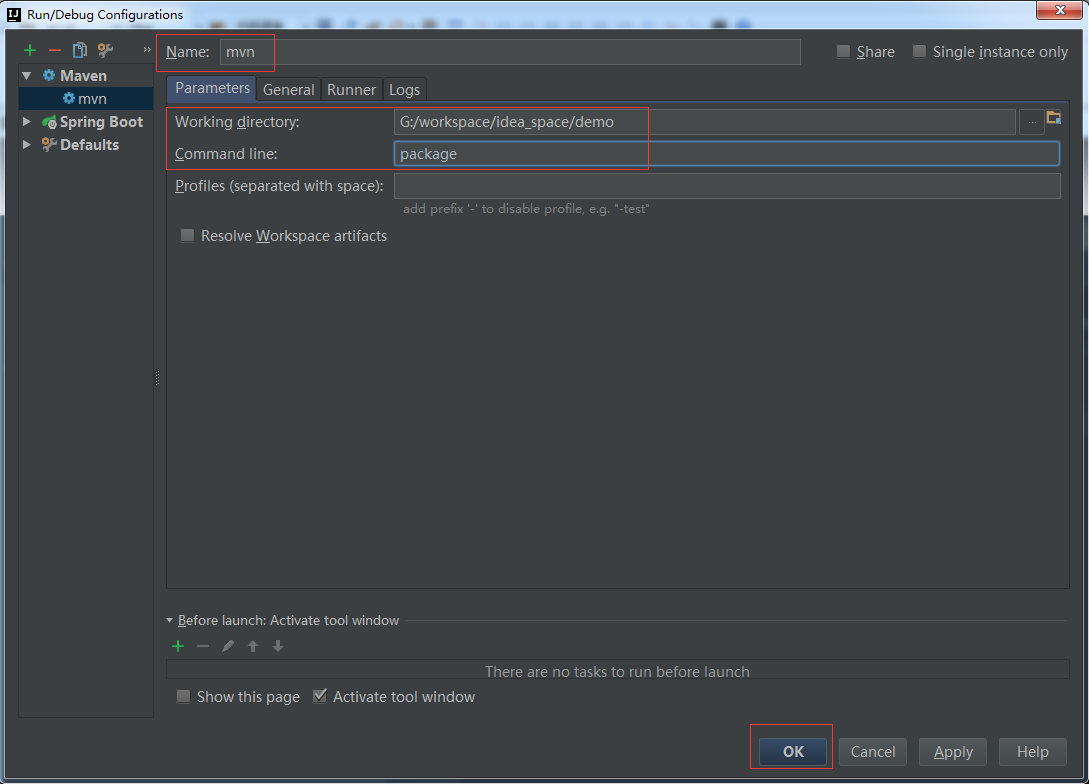
5.2、配置maven打包项目
打开Run/Debug Configurations对话框,按下图配置:
5.3、打包
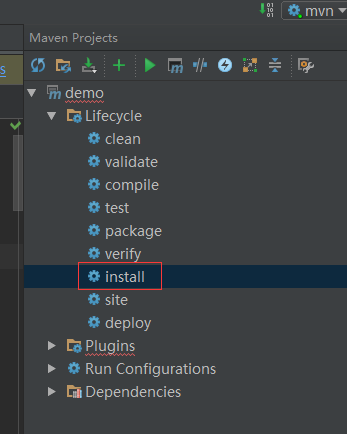
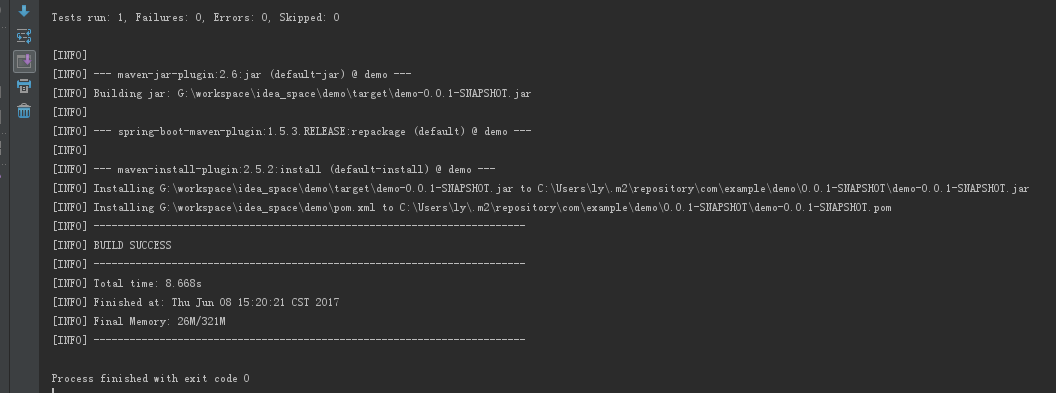
这样,我们就可以通过如下命令直接运行了:
|
1
|
java -jar demo-0.0.1-SNAPSHOT.jar |
如果希望按照传统的做法,将工程发布成war文件,就在pom.xml中将<packaging>jar</packaging>换成<packaging>war</packaging>,这样打包后的war文件放到tomcat也可以运行
六、SpringBoot的配置
可以在工程的resources文件中创建一个application.properties或application.yml文件,这个文件会被发布在classpath中,并且被spring Boot自动读取。
如:将端口改成80,并将tomcat的编码改成UTF-8
application.properties文件:
|
1
2
|
server.port = 80server.tomcat.uri-enconding = UTF-8 |
application.yml文件:
|
1
2
3
4
|
server: port: 80
tomcat:
uri-enconding: UTF-8
|