步骤1、用户需求如下:人员离职后,将AD账户禁用并挪动到指定的OU
get-aduser -SearchBase "ou=test,dc=yuntcloud,dc=com" -filter *|Move-ADObject -TargetPath "ou=dimission,dc=yuntcloud,dc=com"
get-aduser -SearchBase "ou=dimission,dc=yuntcloud,dc=com" -filter *|disable-ADAccount
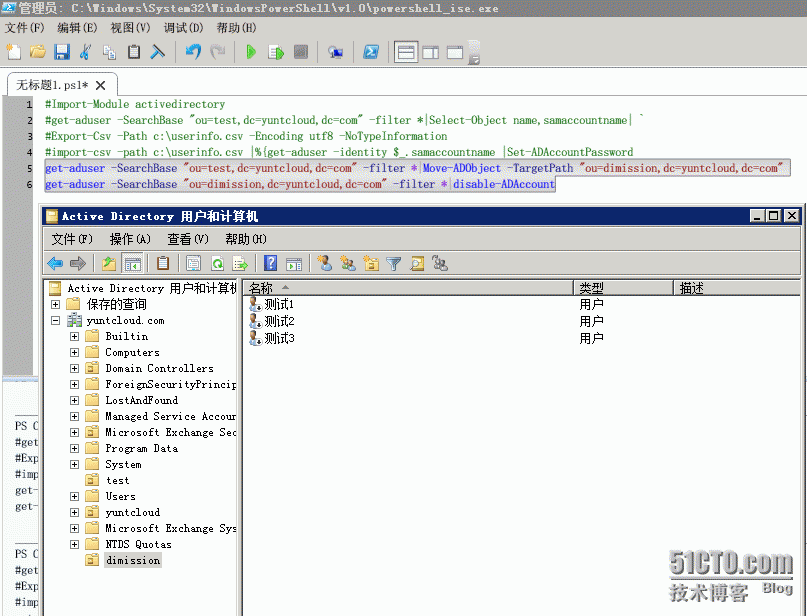
步骤2、如需进一步删除账户,我们执行如下的命令
get-aduser -SearchBase "ou=dimission,dc=yuntcloud,dc=com" -filter *|Remove-ADObject -Confirm:$false
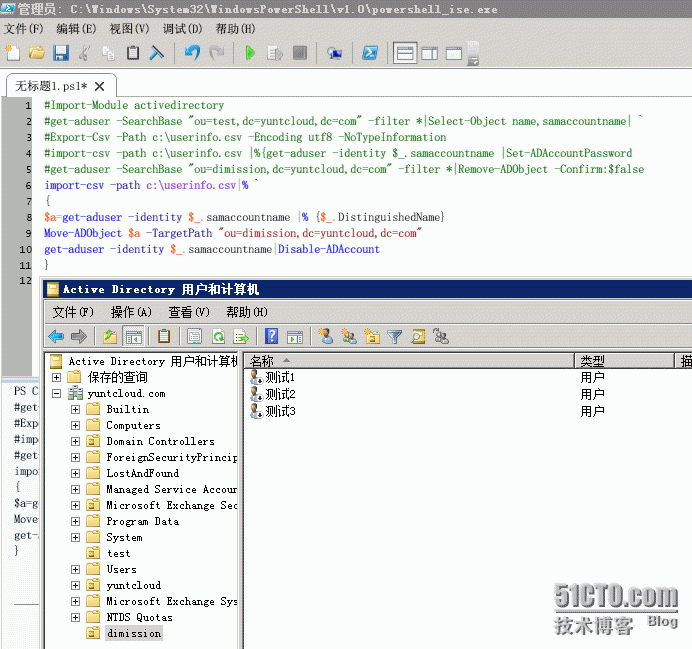
步骤3、如根据csv表里的信息挪动到指定OU,并禁用,操作如下:
import-csv -path c:\userinfo.csv|% `
{
$a=get-aduser -identity $_.samaccountname |% {$_.DistinguishedName}
Move-ADObject $a -TargetPath "ou=dimission,dc=yuntcloud,dc=com"
get-aduser -identity $_.samaccountname|Disable-ADAccount
}
本文转自 zhou_ping 51CTO博客,原文链接:http://blog.51cto.com/yuntcloud/1722521,如需转载请自行联系原作者