当你启动vm中的network时出现了这个错误:
Bringing up interface eth0: Device eth0 does not seem to be present, delaying initialization
解决方法是:
cat /etc/sysconfig/network-scripts/ifcfg-eth0
找到对应的HWADDR, 同时查看右键单击虚拟机,找到:
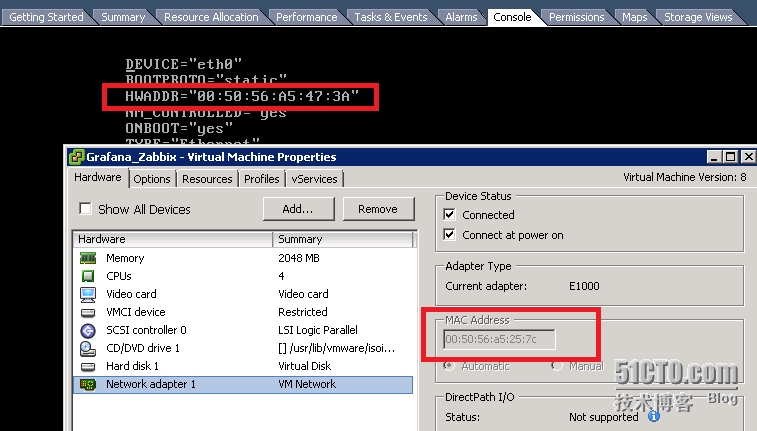
记下这个HWADDR,然后关闭VM,编辑这个vm修改MAC Address为刚才vm中出现的mac
然后重启vm
在service network restart
就可以了
本文转自 zhangfang526 51CTO博客,原文链接:http://blog.51cto.com/zhangfang526/1709805