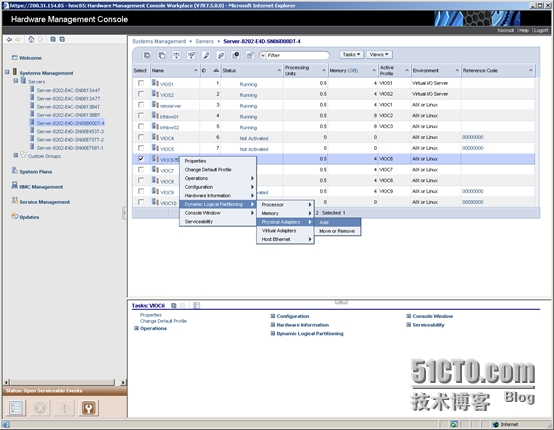
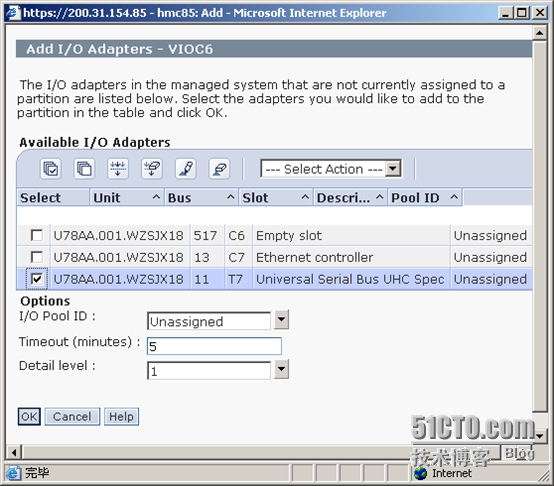
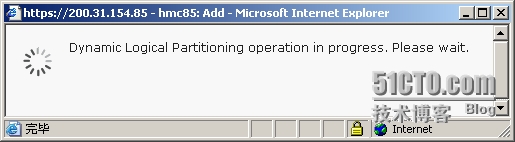
1. 将USB总线动态添加到特定的分区
2. 扫描硬件改动
[email protected]:/.root>cfgmgr
3. 查看USB设备信息
[email protected]:/.root>lsdev -C | grep usb
usb0 Available USB System Software
usbhc0 Available 01-08 USB Host Controller (33103500)
usbhc1 Available 01-09 USB Host Controller (33103500)
usbhc2 Available 01-0a USB Enhanced Host Controller (3310e000)
usbms0 Available 2.1 USB Mass Storage
[email protected]:/.root>
4. 在USB设备上创建文件系统
[email protected]:/.root>mkfs -V jfs2 -o ea=v2 /dev/usbms0
mkfs: destroy /dev/usbms0 (yes)?
File system created successfully.
15564120 kilobytes total disk space.
Device /dev/usbms0:
Standard empty filesystem
Size: 31128240 512-byte (DEVBLKSIZE) blocks
[email protected]:/.root>
5. 挂载USB设备
[email protected]:/.root>mount -o log=NULL /dev/usbms0 /mnt
6. 查看文件系统挂载
[email protected]:/.root>df -g /mnt
Filesystem GB blocks Free %Used Iused %Iused Mounted on
/dev/usbms0 14.84 14.84 1% 4 1% /mnt
[email protected]:/.root>
7. 写入测试
[email protected]:/.root>touch /mnt/testfile
8. 查看测试文件信息
[email protected]:/.root>ls -l /mnt/testfile
-rw-r--r-- 1 root system 0 Apr 04 07:15 /mnt/testfile
[email protected]:/.root>
9. 参考文档: http://www.ibm.com/developerworks/aix/library/au-flashdrive/index.html?ca=dat