Sharing your internet connection with others through wifi, is easy. follow the steps and your Mac will emit a wifi signal.

Step 1: Open System Preferences.
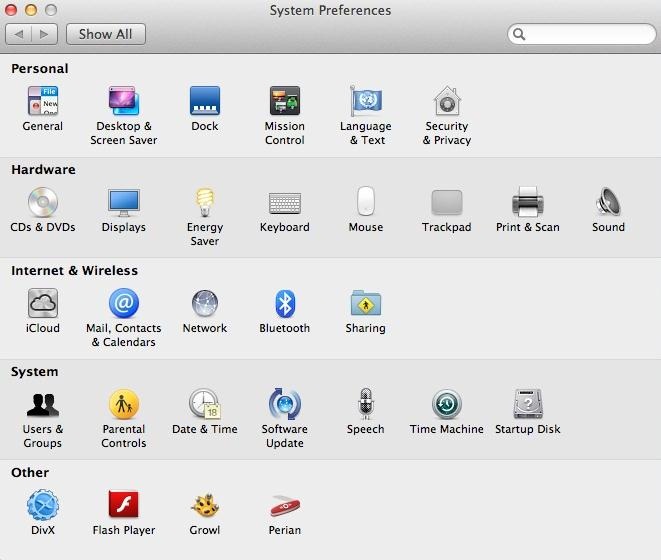
Step 2: Open Sharing, in Internet and Wireless Section.
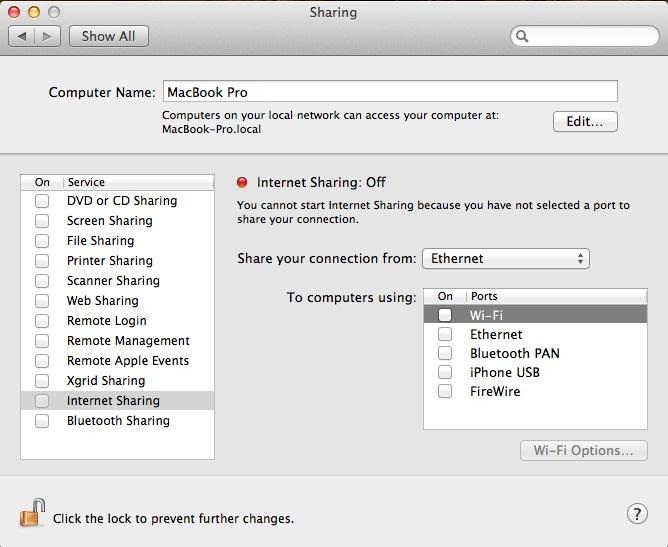
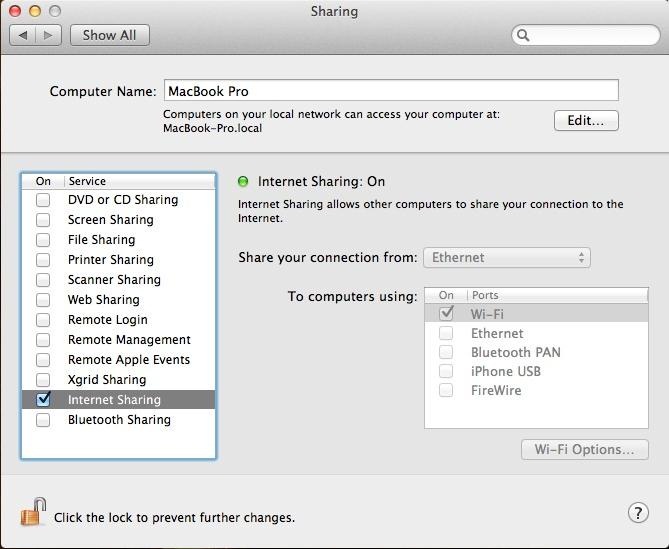
Step 3: Select the Option of Internet Connection You Have on the Computer.
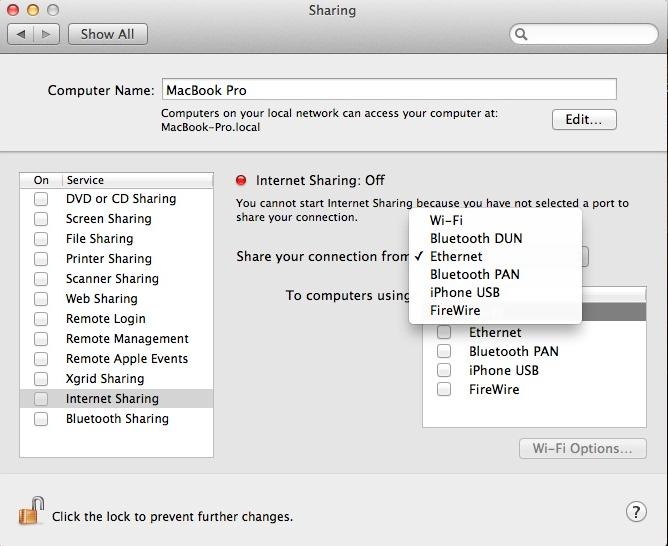
I use ethernet connection. Any of the options on the list still work.
Step 4: Select the Wifi Option Below.
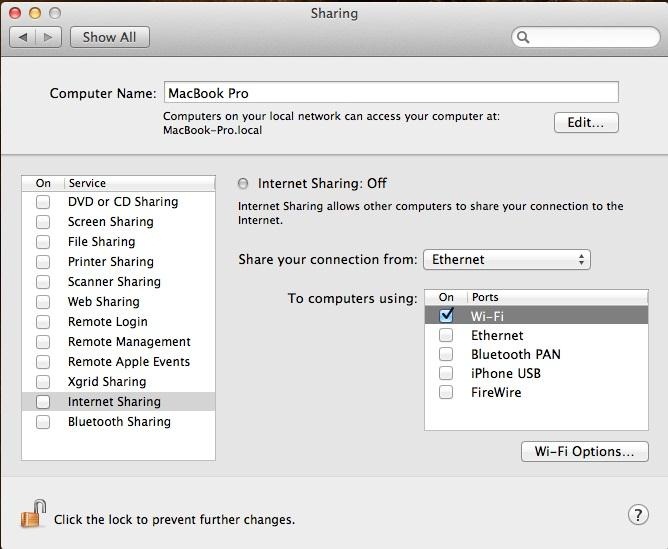
Step 5: Then Go to Wifi Options and Set the Password.
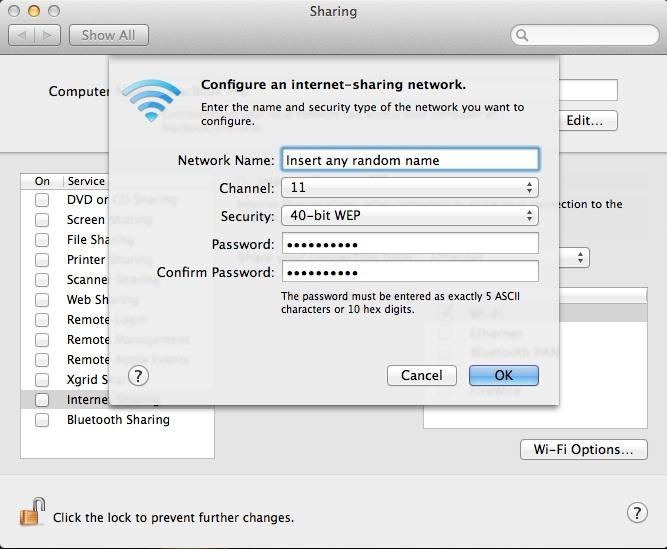
Step 6: Then Tick Internet Sharing Option, on the Left Side.
来源:http://macintosh.wonderhowto.com/how-to/setup-wifi-hotspot-your-mac-0138193/