nginx基于端口的虚拟主机,就是以端口来区分。只要端口不同就可以。
实战1: 端口不一样,域名不一样。编辑nginx.conf配置文件,不通域名修改为不通端口,listen 80 81 82三个端口
|
1
2
3
4
5
6
7
8
9
10
11
12
13
14
15
16
17
18
19
20
21
22
23
24
25
26
27
28
29
30
31
32
33
34
35
36
37
|
[[email protected] conf]# pwd
/application/nginx/conf[[email protected] conf]# cat nginx.conf
worker_processes 1;events { worker_connections 1024;
}http { include mime.types;
default_type application/octet-stream;
sendfile on;
keepalive_timeout 65;
server {
listen 80;
server_name www.etiantian.org;
location / {
root html/www;
index index.html index.htm;
}
}
server {
listen 81;
server_name bbs.etiantian.org;
location / {
root html/bbs;
index index.html index.htm;
}
}
server {
listen 82;
server_name blog.etiantian.org;
location / {
root html/blog;
index index.html index.htm;
}
}
} |
1.1 查看nginx服务是否启动(查看进程和端口都可以)
|
1
2
|
[[email protected] conf]# ps -ef|grep nginx
root 1437 1313 0 10:36 pts/1 00:00:00 grep nginx
|
如上查看nginx服务对应的进程不存在就说明nginx服务没有启动,启动nginx服务。
|
1
|
[[email protected] conf]# /application/nginx/sbin/nginx
|
1.2 验证
1.2.1 windows的hosts文件添加本地dns解析
10.0.0.8 www.etiantian.org bbs.etiantian.org blog.etiantian.org
1.2.2 验证
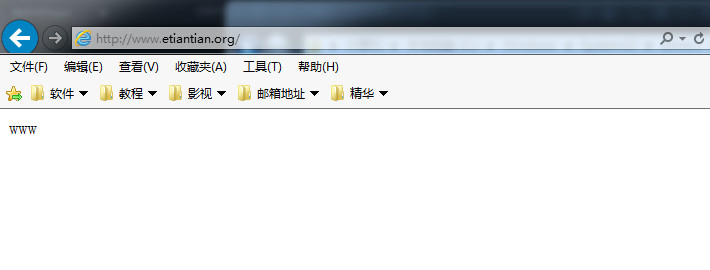
分别在windows的ie中输入地址www.etiantian.org:80
bbs.etiantian.org:81 blog.etiantian.org:82 这三个网址,看是否有对应的内容,有就说明配置成功了。(原理就是域名解析成ip,ip再对应端口)


实战2: nginx站点都用一个域名www.etiantian.org,但是端口分别是80、81、82
|
1
2
3
4
5
6
7
8
9
10
11
12
13
14
15
16
17
18
19
20
21
22
23
24
25
26
27
28
29
30
31
32
33
34
35
36
37
|
[[email protected] conf]# pwd
/application/nginx/conf[[email protected] conf]# cat nginx.conf
worker_processes 1;events { worker_connections 1024;
}http { include mime.types;
default_type application/octet-stream;
sendfile on;
keepalive_timeout 65;
server {
listen 80;
server_name www.etiantian.org;
location / {
root html/www;
index index.html index.htm;
}
}
server {
listen 81;
server_name www.etiantian.org;
location / {
root html/bbs;
index index.html index.htm;
}
}
server {
listen 82;
server_name www.etiantian.org;
location / {
root html/blog;
index index.html index.htm;
}
}
} |
2.1 检查nginx语法,并平滑重启
|
1
2
3
|
[[email protected] conf]# /application/nginx/sbin/nginx -t
nginx: the configuration file /application/nginx-1.6.3//conf/nginx.conf syntax is ok
nginx: configuration file /application/nginx-1.6.3//conf/nginx.conf test is successful
|
|
1
|
[[email protected] conf]# /application/nginx/sbin/nginx -s reload
|
2.2 验证
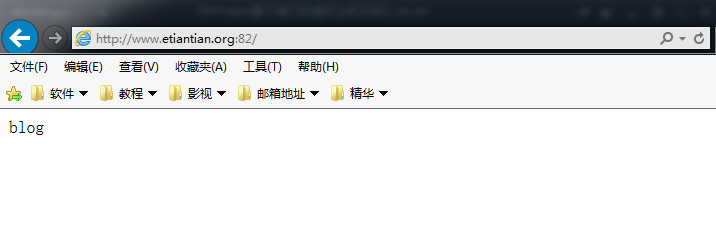
在windows的ie中分别输入网址:www.etiantian.org:80 www.etiantian.org:81
www.etiantian.org:82 看是否显示对应的站点首页内容。下图已显示对应的站点首页内容了。


本文转自sandshell博客51CTO博客,原文链接http://blog.51cto.com/sandshell/1957773如需转载请自行联系原作者
sandshell