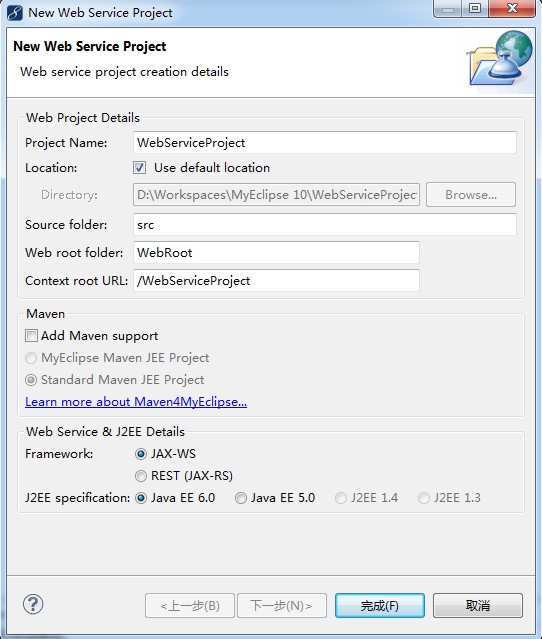
1、创建Web Service项目
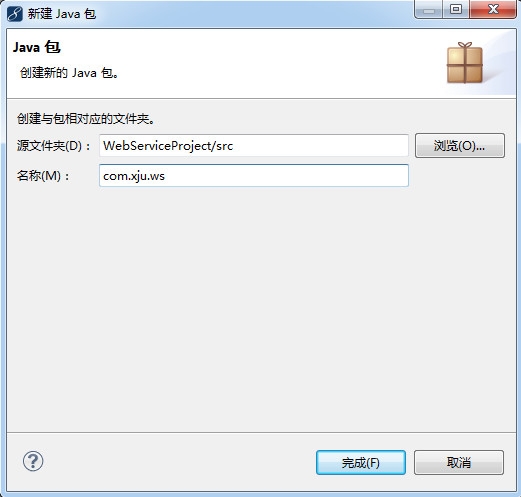
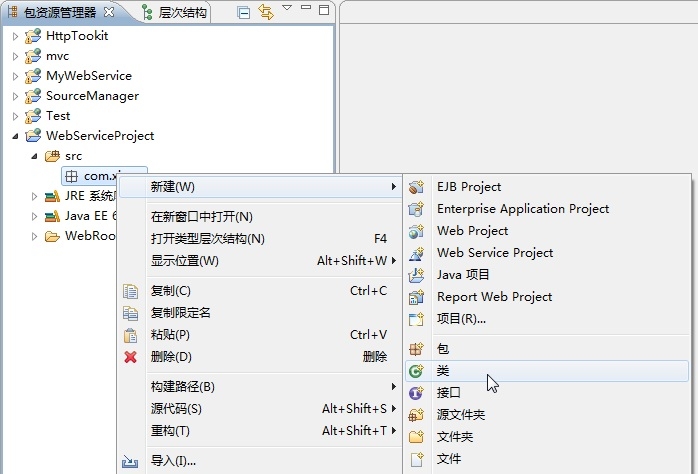
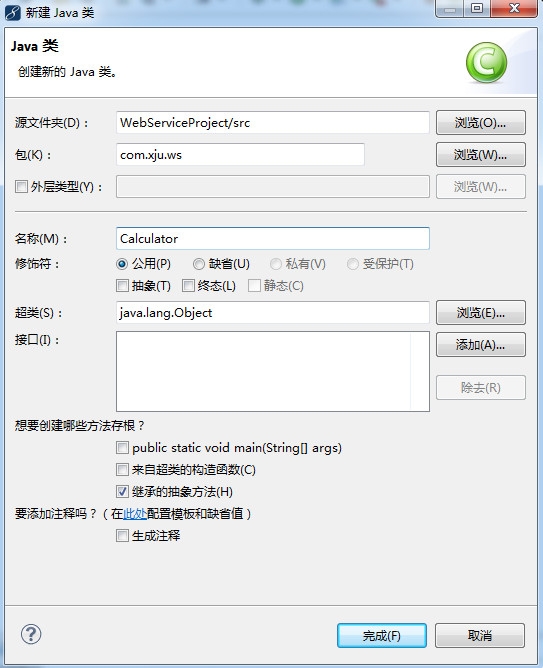
2、创建一个普通Java类Calculator
代码如下:
|
1
2
3
4
5
6
7
8
9
10
11
12
13
14
15
16
17
18
19
20
21
22
23
|
package com.xju.ws;
public class Calculator {
public int add(int a, int b) {
return (a + b);
}
public int subtract(int a, int b) {
return (a - b);
}
public int multiply(int a, int b) {
return (a * b);
}
public int divide(int a, int b) {
return (a / b);
}
public String sayHello(String username){
return getVersion(username);
}
private String getVersion(String str)
{
return str+",你好!";
}
} |
3、自下向上策略创建Web Service服务端
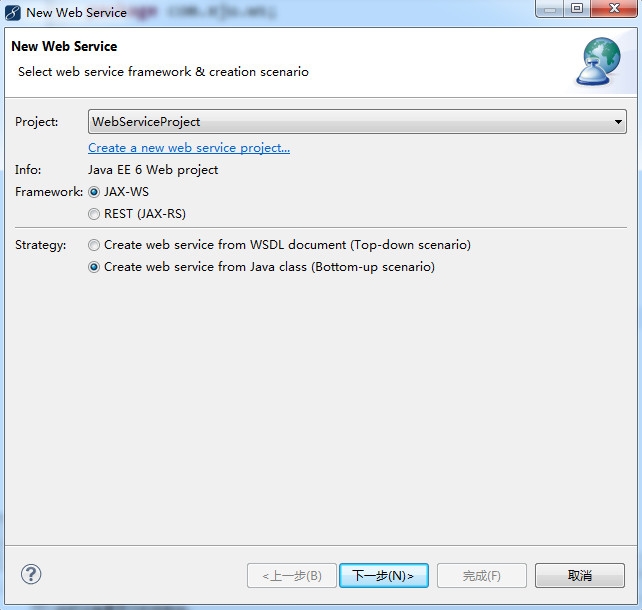
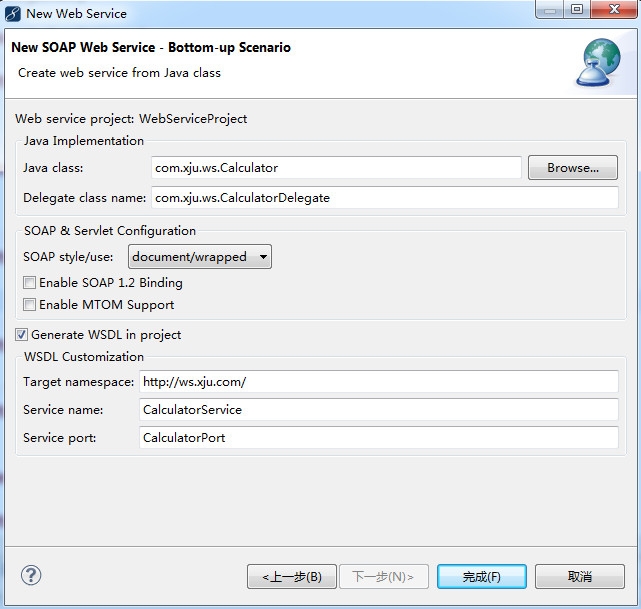
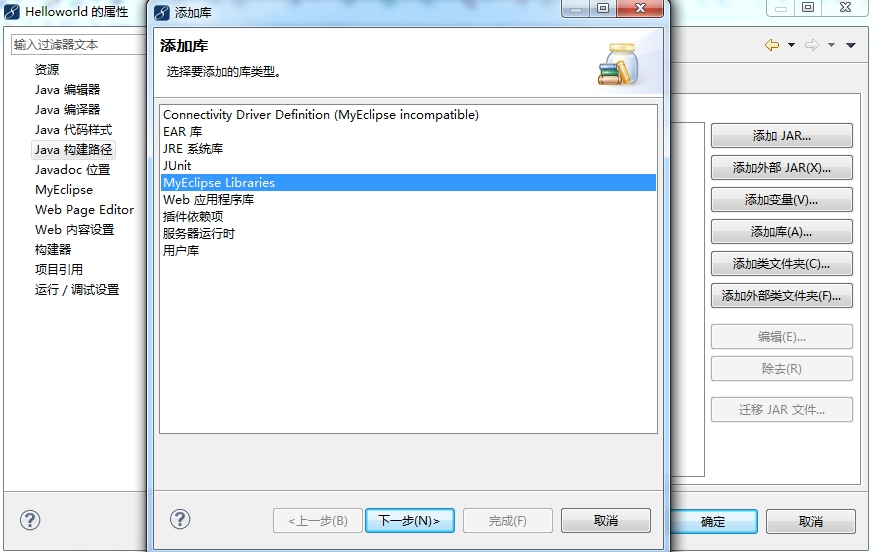
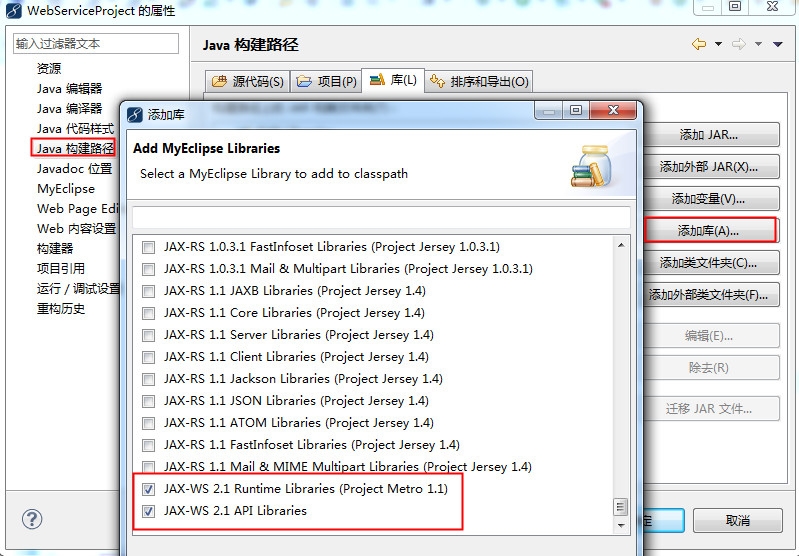
4、导入相关的 jar 包
5、部署并运行JAX-WS Web Service
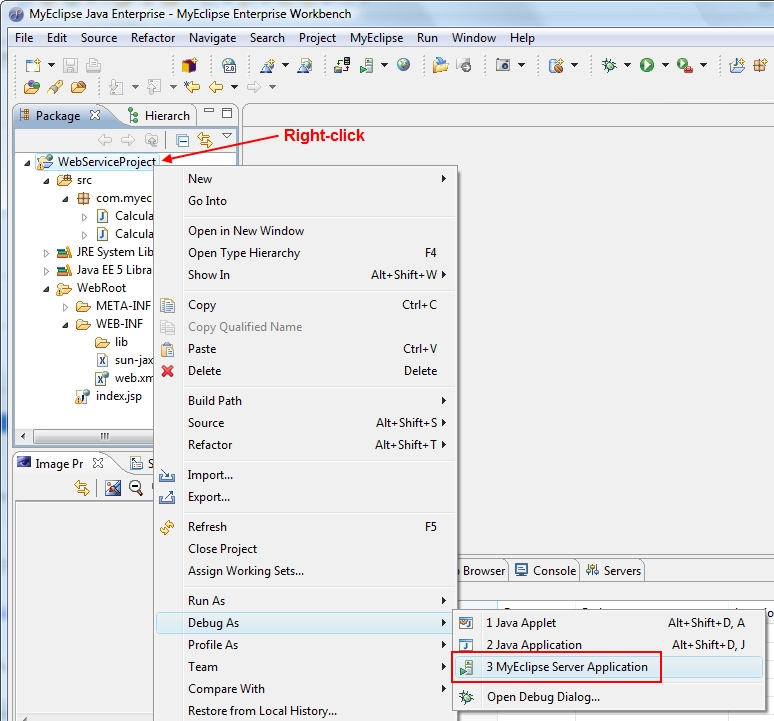
右键点击项目WebServiceProject,选择Debug As (or Run As)>MyEclipse Server Application来运行该项目。
6、测试JAX-WS Web Service
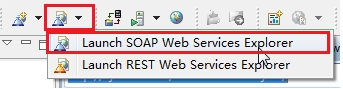
选择项目WebServiceProject,在工具栏上选择如下内容:
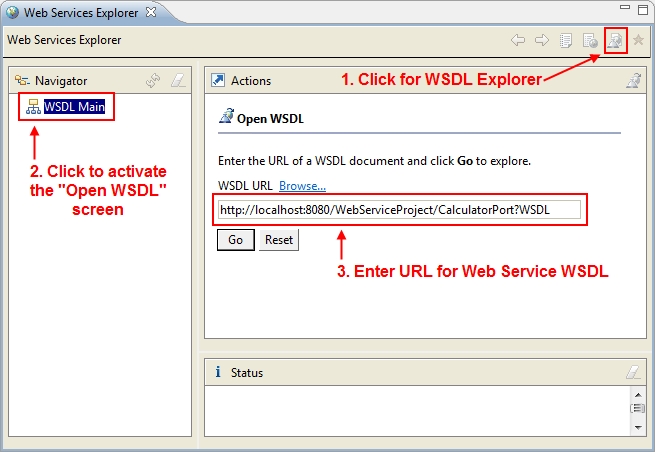
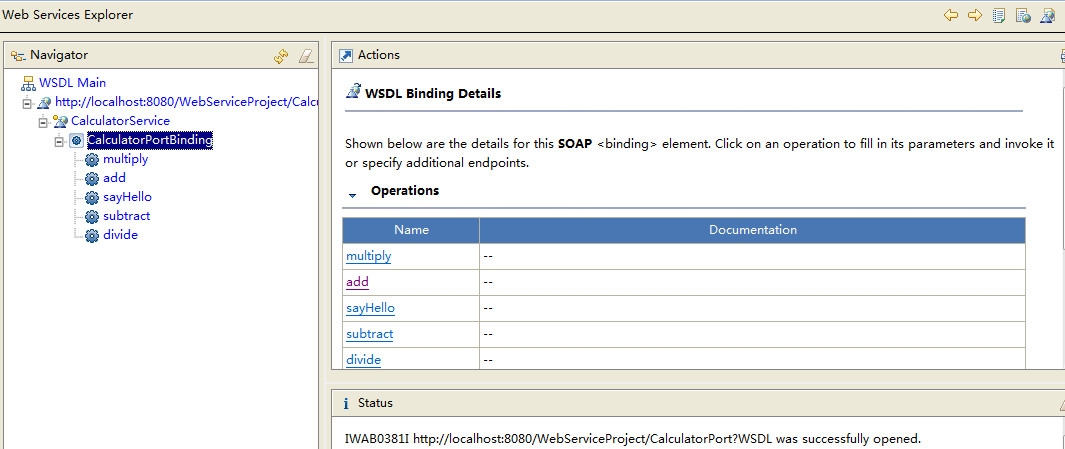
打开SOAP Web Services Explorer:
创建JAX-WS Web Services Client
1、新建Java项目WebServiceClientProject
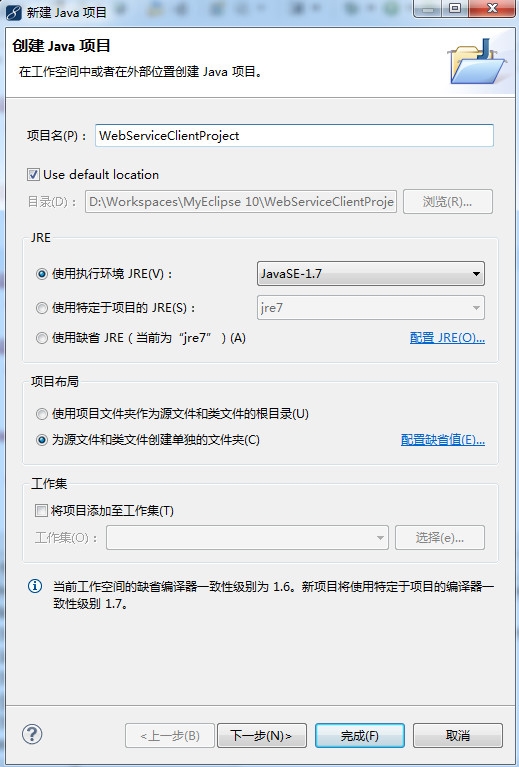
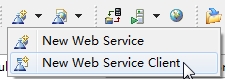
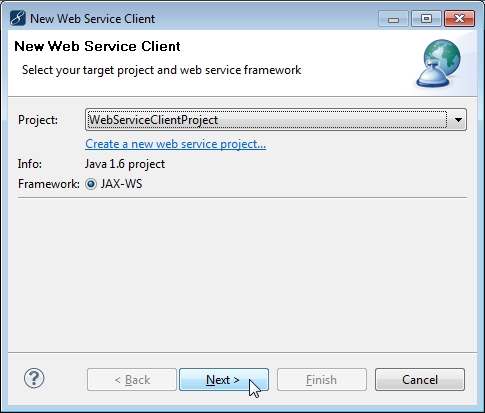
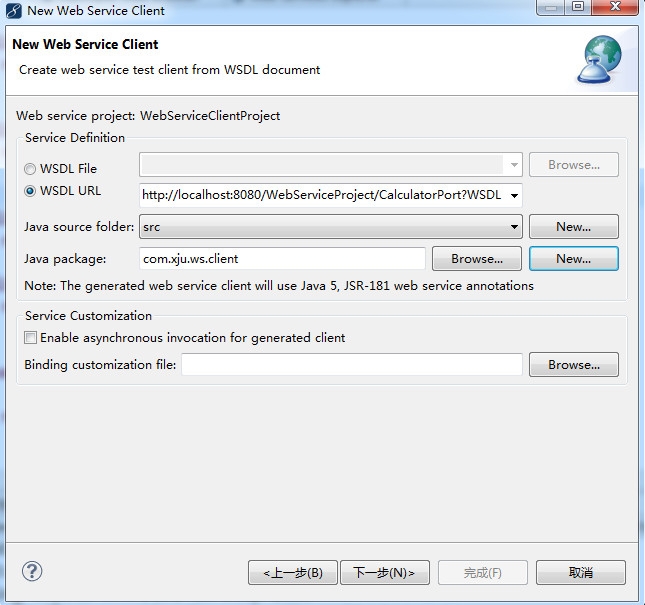
选择WebServiceClientProject项目,从工具栏菜单中选择New Web Service Client,如下:
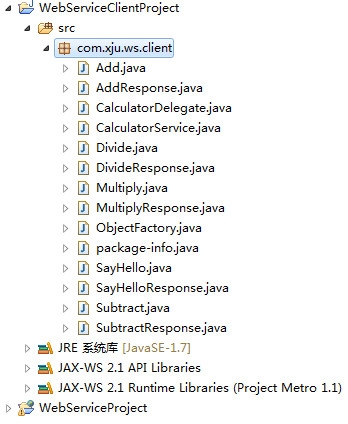
2、使用Web Service
创建Java类WebServiceClient:
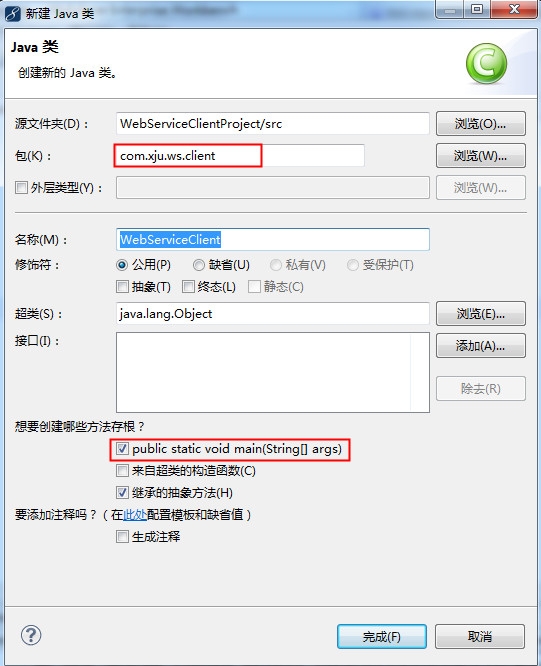
代码如下:
|
1
2
3
4
5
6
7
8
9
10
11
12
13
14
15
16
|
package com.xju.ws.client;
public class WebServiceClient {
/**
* @param args
*/
public static void main(String[] args) {
// TODO Auto-generated method stub
CalculatorService service = new CalculatorService();
CalculatorDelegate delegate = service.getCalculatorPort();
System.out.println("1. 3+7=" + delegate.add(3, 7));
System.out.println("2. 12-2=" + delegate.subtract(12, 2));
System.out.println("3. 9*9=" + delegate.multiply(9, 9));
System.out.println("4. 40/2=" + delegate.divide(40, 2));
System.out.println("5. xju=" + delegate.sayHello("xju"));
}
} |
运行结果如下:
1. 3+7=10
2. 12-2=10
3. 9*9=81
4. 40/2=20
5. xju=xju,你好!
本文转自stock0991 51CTO博客,原文链接:http://blog.51cto.com/qing0991/1381555,如需转载请自行联系原作者